To start trading, a beginner needs three things: a program to analyse the chart, a demo account to practise on, and a regulated broker to route your trades to the market. For the platform I recommend just one, TradingView: free entry, a clear chart right in the browser, and a built-in practice account. And the broker you choose not by the fee but by how calmly money comes back out of it. A separate story is trading not with your own money but with a firm's capital: how prop trading works and where the catch is, I cover separately.
And here's the first trap. Many people spend weeks hunting for the perfect program, as if the result were hidden somewhere in its settings. It isn't there. Any terminal simply opens access to trading, and the money is made not by it but by your head and the system of decisions behind it. An expensive brush has never made anyone an artist, and it's exactly the same story with a platform. So let's lay the whole setup out clearly and separate right away what matters from what a beginner wastes time on.
In this article we'll cover:
- a terminal gives access to trading, but on its own it brings no profit;
- TradingView is a free browser platform where it's convenient to learn to read the chart;
- in my experience the best platform setup is an almost empty chart with volume at the bottom;
- when choosing a broker, regulation and the ability to withdraw matter more than fees and bonuses.
Let's start with what a terminal even is and why a trader needs one.
What is a trading terminal and why you need one
A trading terminal is an application that gives access to exchange trading: inside it sit the chart, a set of analytical tools, and a button to place a trade. Without such a window there's simply nothing to reach the market through.
It works simply. First you tell the terminal what you're trading and on what timeframe you're watching price, and it pulls up the chart with the whole history of quotes. From there all the work goes through that chart: you see the price move, draw levels, weigh up the situation, and at the right moment press buy or sell. A hundred buttons are no use to a beginner. At the start a tidy chart, live volume at the bottom and a calm way to place an order are far more useful, while the rest of the stuffing stays untouched. Before picking a program, it makes sense to close the basics of how the chart and the terminal itself work, otherwise the choice is made blind.
In short: A terminal gives the chart, the analysis tools and the trade button; at the start a clean chart with volume matters more than a long list of features.
TradingView: why the platform is handy for a trader
TradingView is an online browser platform for charts and market analysis that gathers stock, currency, crypto and futures quotes in one window together with drawing tools and indicators. For a beginner it's the gentlest point of entry of all the ones I know.
Its main plus is how much it pulls together. One site holds all the markets at once: fancy stocks, switch to currency, look in on crypto or futures, all in the same tab. You set out levels, save the markup, and the next day open it exactly as you left it. Launching asks for nothing: no money for basic access, no installing on the computer, no fiddling with the system, it all runs in the browser window. Off to the side there's a social layer: other people's trade ideas and alerts when price touches a level. For a start that's secondary, the chart and volume come first, but it's nice that it sits within reach and comes free.
Separately, why I picked it for my work. I run my whole course on TradingView precisely because for volume analysis and the Wyckoff method I simply haven't found a more visual platform. The chart reads cleanly, volume is available, and you can later trade through a connected broker while staying in the familiar window. In other words, learning to see the market and actually trading happen in the same place, and that's very convenient.
In short: TradingView gathers all the markets in one window, starts free right in the browser and stores your markup: for a beginner it's the most convenient point of entry.
How to set up TradingView for volume analysis
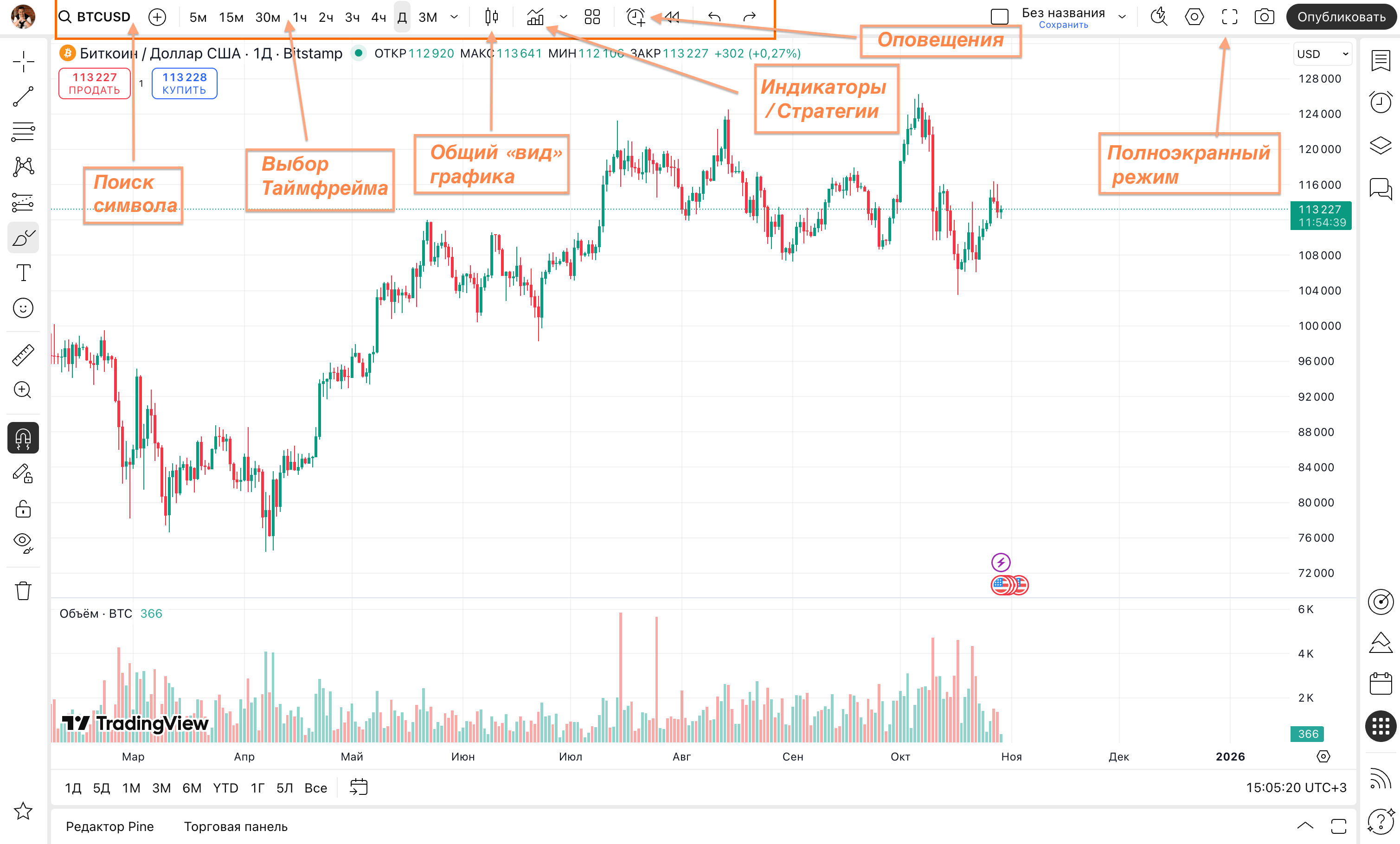
Setting it up for my work takes a minute, and it comes down not to adding but to subtracting. The first thing I do is switch candles to bars. The information is the same, open, close, high and low, but bars visually flicker less and don't pull attention onto themselves. Then I draw levels and save the markup.
And the only indicator I always keep at the bottom of the chart is volume. It switches on in a couple of clicks: you press "Indicators", type "volume", move it to the bottom, and now price is on top and the activity beneath it. Volume for me is the interest in price, and it's more informative than any formula derived from price itself. I watch it mainly on CME exchange futures, where the largest trades go through. And here my position parts ways with where the industry pulls a beginner. At first I too plastered the screen with a heap of lines and oscillators, chased the magic combination and only closed off my own view of the market. The longer I trade, the less stays on the screen: in the end clean bars, levels and volume at the bottom, nothing more. Thousands of indicators create the illusion of a toolkit, but the market is easier to read on an empty chart than on a cluttered one. How exactly volume shows the interest of large capital I walk through step by step on a live chart in the video: how to set up TradingView for volume analysis.
In short: TradingView has thousands of indicators, but I keep only volume on CME futures at the bottom: clean bars, levels and volume are more informative than a dozen oscillators.
The demo account: how to start trading for free
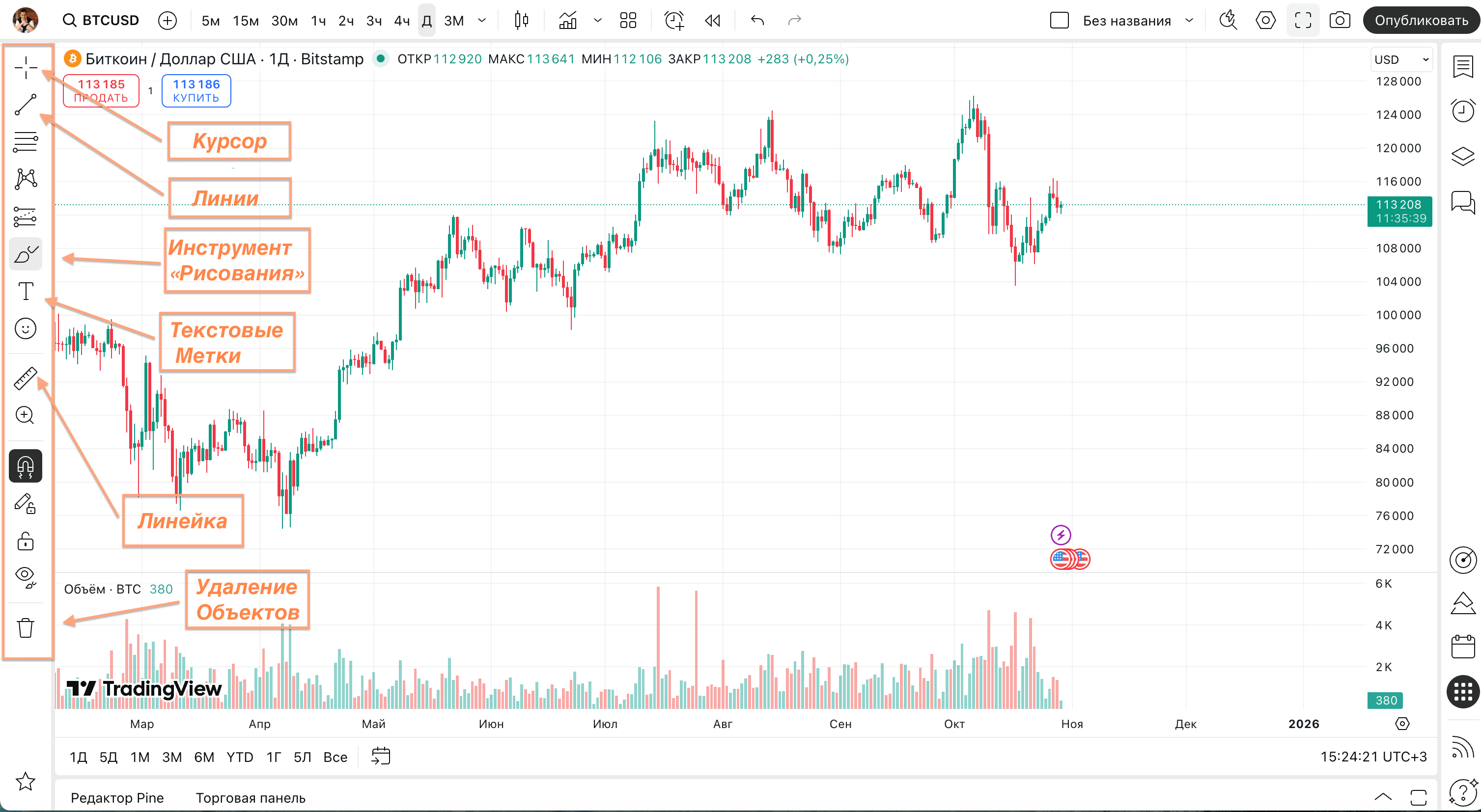
This is the feature I consider the most useful for a beginner. TradingView has a demo account, in English it's paper trading, that is trading on paper: an account with real quotes but play money. It's available on any plan, including the free one, and needs no card. The account holds 100,000 virtual dollars, and you can zero or reset the balance whenever you want.
On demo you run your method through, get comfortable with the interface and build up skill without putting up a single cent. It's the ideal place to run your system over a series of trades before carrying real money to the market. But a word on the limit: a practice account doesn't teach the psychology of real money. The real emotions, that same fear of losing and the urge to add more, switch on only when your own capital is on the line, and on a virtual balance there's nowhere for them to come from. So a demo account is a necessary stage but not a sufficient one. My order is this: first a steady plus on demo, and only then a small real account. This isn't a directive for you personally, it's the sequence I consider healthy. And I'd advise practising on a simple system, not a dozen indicators, otherwise the demo turns into an endless game of settings.
In short: A demo account with 100,000 virtual dollars lets you run the system in with no risk; first a confident plus on demo, then a small real account.
What is a broker, and how it differs from a platform and an exchange
A broker is a licensed intermediary through which a trader gets access to exchange trading and places trades, while the broker takes a commission for it. A retail trader can't walk in off the street onto the exchange; access to trading belongs only to professional participants with a license.
Three different things get mixed up here constantly. The exchange is the organised venue where buy and sell orders meet. The platform is just a program with buttons on your screen, the same TradingView. And the broker is a legal entity between you and the exchange: you put money into its account, it sends your orders to trading and holds the bought assets. Access to the exchange itself is expensive, you can't get there from the street alone, so the broker takes on the role of conductor for a percentage of turnover. For seven years I worked as an analyst inside a large broker and saw this mechanism from the other side: the firm pays once for a pricey route to the market, and then for years passes a stream of clients through itself and lives off their commissions. The takeaway from that is simple and not the most pleasant: the broker is neither your mentor nor your ally, the trading decisions stay entirely with you. How the exchange it gives access to is built I cover separately in the piece on how an exchange works.
In short: The exchange is the venue, the platform is the program, and the broker is the licensed company that routes your orders to the exchange and lives on commissions.
How to choose a reliable broker: regulation, license, fees
When people ask me how to choose a broker, I start not with fees but with regulation. A strong sign is a license from a well-known supervisory body, a transparent legal address and segregation of accounts, where clients' capital is kept separate from the firm's own money and doesn't vanish along with it in a bankruptcy. Among the recognisable regulators I'd name the British FCA, the Cypriot CySEC and the Australian ASIC. And only when that's all in order does it make sense to move on to the spread, the size of fees, the speed of withdrawal and the range of instruments.
Count the cost in full, not by the shop window. Behind an attractively thin spread there often hide swaps for carrying a position overnight and a withdrawal charge, and the full picture comes out quite different. It's worth digging into the company's history too: how long it's been on the market, how often people complain about payout delays, how clearly the terms are spelled out. Before a live account, run everything in on demo for at least a couple of weeks. Separately on leverage: at the start I don't advise it, it doesn't multiply profit but does speed up a blown account, and that's about my attitude to risk, not a command to you. A systematic approach to this choice I've laid out in the course section on choosing a broker.
In short: First a license with the FCA, CySEC or ASIC and segregated funds, then an honest full fee and a mandatory demo; cheap terms with murky regulation are a trap.
How to avoid a bucket shop
In trader slang a bucket shop is a firm that only imitates a broker: it doesn't route your trades out to the exchange but closes them on itself. It turns out your counterparty in the trade isn't the market but the company itself, and your loss is a direct gain for it. A firm like that is recognised by a set of signals: ads about easy money, account bonuses, calls from "personal mentors", excessive leverage and a vague license. The pattern is simple: the more generous the promises and the bigger the leverage, the more thoroughly you check where your account goes. An honest intermediary behaves the exact opposite way, to the point of being dull: it soberly shows the risks, guarantees nothing and calmly explains the order and timing of withdrawals.
My own choice comes down to one rule: the safety of the money first, the rest later. Over the distance people get zeroed not only on the chart but at the withdrawal stage, when a troubled firm was hiding behind a pretty shop window. So I stick only to a regulated broker and check first not the tariff but the real ability to take the money back. A cheap commission with a blocked withdrawal is the worst deal you can possibly imagine. And to close the topic of illusions: there's no guaranteed return on the market, and the one who promises it is the very first reason to turn around. The platform, the demo account and the broker are only the frame, beyond that everything rests on your trading system. The route after this article is convenient to assemble in the general guide on trading from scratch for a beginner, which ties all the starting topics into one path.
In short: A bucket shop keeps your trades inside and earns on your loss; the higher the leverage and the louder the promises, the more carefully you check the license and the real ability to withdraw money.
Frequently asked questions
The logical start is TradingView. The free plan is enough, everything opens in the browser, the charts are clear, and a practice demo account is built in from the start. A program crammed with features only throws a beginner off: at the start a clean chart with volume and an order button is plenty.
It's an online browser service for building charts and analysing markets: stocks, currencies, crypto, futures plus drawing tools and indicators. It's valued because the markets sit in one window, basic access costs nothing and needs no install, and the levels and markup you draw save quietly until next time.
Yes, through the demo account, also called paper trading. It's a practice account with real quotes and virtual money, available on any plan including the free one, and it needs no card. The account holds 100,000 virtual dollars, and the balance can be reset whenever you like.
A broker is a licensed intermediary firm: it passes your orders to the exchange and keeps a commission for it. The exchange is the trading venue itself, where buyers and sellers meet. The account is opened with the broker, since on their own a retail trader can't get onto the exchange.
A bucket shop is an imitation of a broker: the client's trades aren't routed out to the exchange but kept inside the firm, which profits from the client's loss. It gives itself away with excessive leverage, account bonuses, persistent calls and promises of quick money. A simple rule: the louder the income guarantees, the more carefully you check the license and the withdrawal process.
About the Author
Author: Igor Arapov — independent researcher in the psychology of investment decisions and behavioral finance, practising trader since 2013, founder of arapov.trade, author of a trading book series (ORCID: 0009-0003-0430-778X).